GameQuiz turns your Discord server into a daily video game challenge with private, editable answers, monthly seasons, global rankings, profiles, statistics, 40 achievements and configurable image rounds — with no speed advantage.
✓ 1 automatic quiz every day✓ Answers stay private until correction✓ English & French
01Daily quiz
02Monthly seasons
03Profiles, stats & 40 achievements
04Full per-server configuration
BUILT FOR DAILY PLAY
Easy to join. Built to last.
A short daily ritual, long-term competition and enough control for every server to make GameQuiz its own.
🧠
DAILY QUIZ
A fresh challenge every day
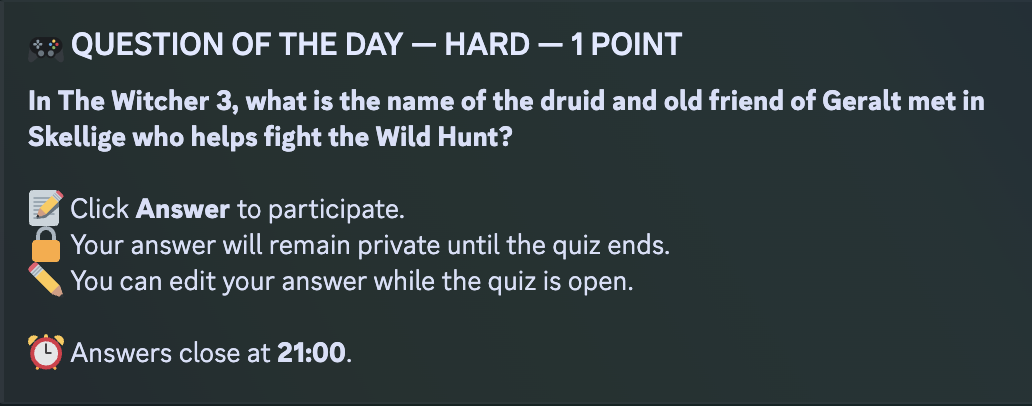
GameQuiz publishes one quiz automatically. Answers remain private while the quiz is open, can be edited until closing time, and are all revealed together with the correction.
TODAY'S QUIZ+1 point
Answer whenever you want before the deadline.
🔒 No speed bonus — everyone gets the same chance.
🏆
MONTHLY COMPETITION
Compete for the season.
Every server gets its own monthly season while the global leaderboard keeps growing. Track ranks, accuracy, streaks, image-quiz performance and long-term progress.
🏆
Monthly seasonsA fresh ranked race every month.
📊
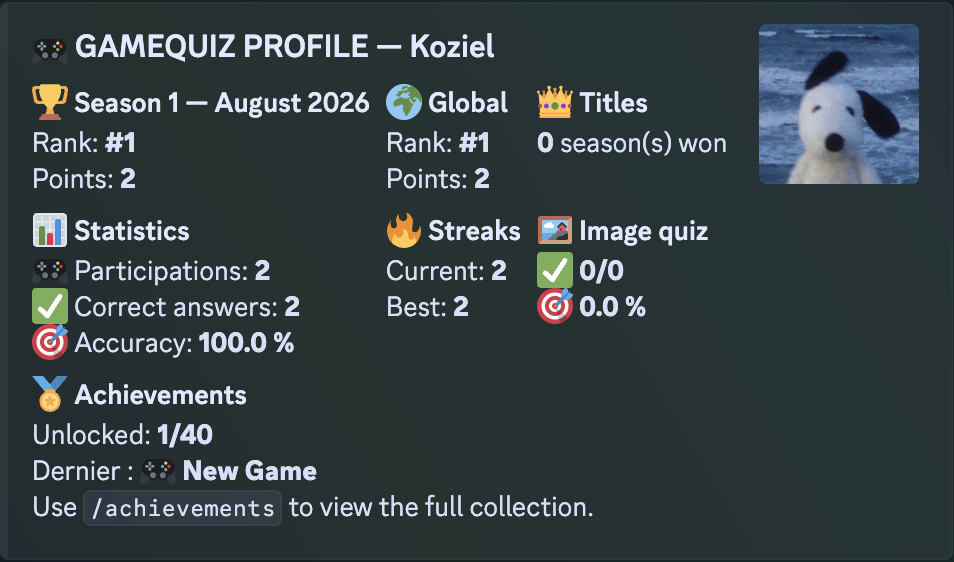
Profiles & detailed statsRanks, accuracy, streaks and participation history.
🏅
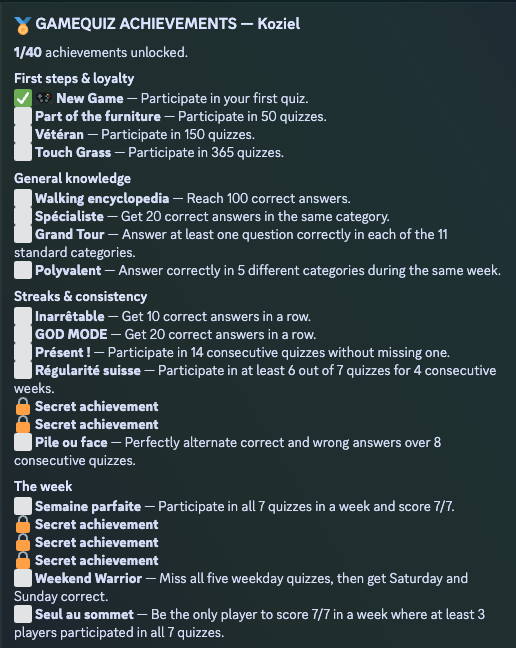
40 achievementsIncluding long-term, seasonal and secret challenges.
🌍
All-time leaderboardYour global score never resets with the season.
🌍
ENGLISH & FRENCH
One bot, two complete languages
Choose English or French during /setup. Quiz content and interfaces follow the server language, while Discord localizes slash-command names for each user.
EN EnglishFR Français
🖼️
IMAGE QUIZZES
Which game is this image from?
Image rounds are worth 2 points. Server admins choose which weekdays use image quizzes. GameQuiz prioritizes Steam Store screenshots, falls back to IGDB when needed, and applies a light local title check before publishing.
Steam firstIGDB fallbackLight local check
?
WHAT PLAYERS ACTUALLY SEE
Made to feel native inside Discord.
Questions, corrections, profiles and achievements stay compact, readable and useful without flooding the channel.
Daily questionPrivate answers, editable until closing time.
Player profileSeason rank, global rank, statistics, streaks and achievements.
Achievement collection40 goals, including secret achievements.
CONFIGURE IT FOR YOUR SERVER
Flexible without becoming complicated.
Administrators can change the important parts directly from Discord with /configure, without editing deployment variables.
🕒
Schedule & reminders
Choose posting and closing times, time zone, reminder timing and which messages ping the Quiz role.
🖼️
Quiz format by weekday
Choose exactly which days use image rounds and which days use standard questions.
🎛️
Content filters
Include or exclude categories, difficulties, genres and platforms to better fit your community.
📺
Channel, role & language
Move the quiz channel, change the notification role or switch the server between English and French.
⏸️
Pause without losing progress
Temporarily stop new automatic quizzes, then resume later while preserving rankings and history.
🧪
Built-in checks & tests
Admins can verify configuration and permissions, publish test questions and manually close a test when needed.
SUPPORT & DATA CONTROLS
Useful tools when something goes wrong.
🚩
Report a quiz problem privately
Use /report / /signaler to send a problem to the GameQuiz team with the useful quiz context attached. Track the conversation with /my_reports.
🔐
Player data controls
Users can export their active server data with /my_data and delete it with /delete_my_data, including linked GameQuiz reports.
🗑️
Server-level deletion
Administrators can permanently delete the server's active GameQuiz data with /delete_server_data after confirmation.
Video-game metadata may be provided by IGDB. Image quizzes use public Steam Store screenshots in priority, with IGDB as a fallback. Game names, trademarks and imagery remain the property of their respective rights holders.